Run a template
This walkthrough runs a ready-made simulation end-to-end — no diagram editing required. We’ll use the built-in NLR DSSE IEEE 123 template (a state-estimation study on the IEEE 123-bus feeder).
1. Open Saved Templates
From the home page, choose View Saved Templates, or go to
http://
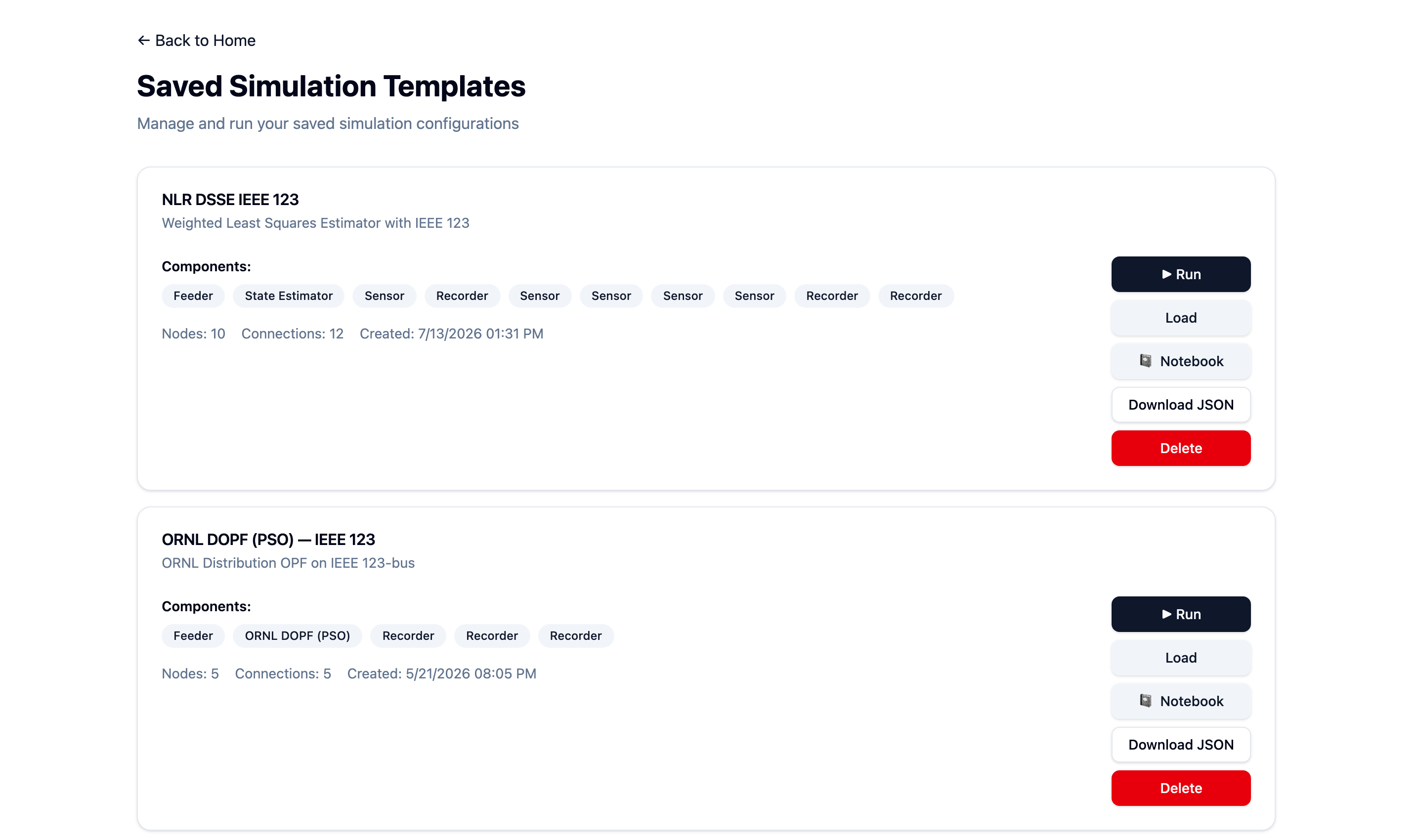
Each template card has a Run button.
2. Click Run
Press ▶ Run. The app converts the template into an OEDI-SI wiring diagram, builds the HELICS runner, launches the simulation, and takes you to the run detail page.
3. Watch it run
The run detail page shows the status moving from running to done, the exit code, and
the logs for each federate (feeder, sensors, estimator, recorders). Expand a log to see
what a component did.
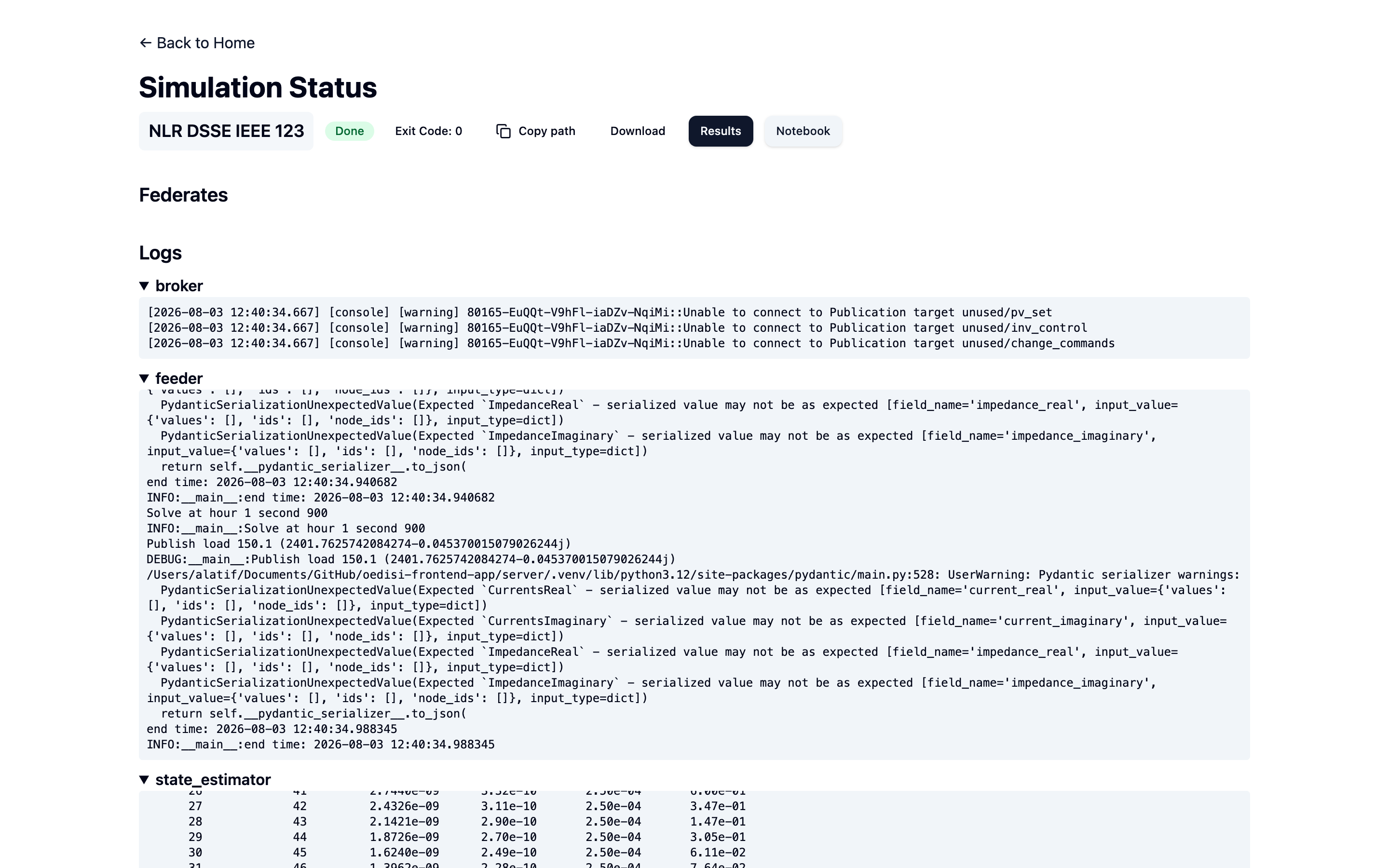
Monitoring a run. When it finishes, Results and Notebook appear.
4. View the results
Click Results. Choose a recorder dataset and scrub the time index to see how the quantity evolves. To validate an estimator, use Compare with to overlay the estimated values against the recorded true values.
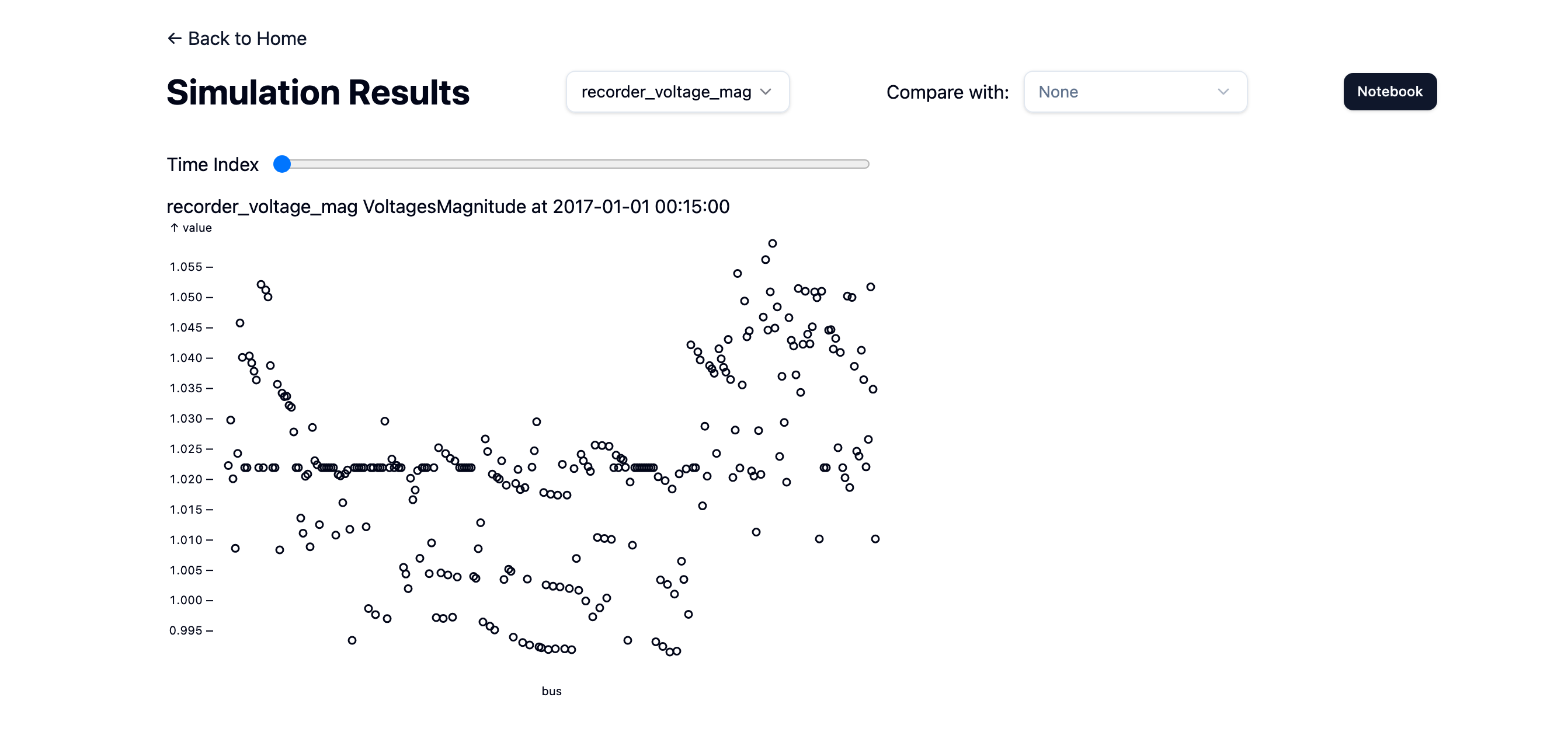
Voltage magnitudes recorded across the feeder.
5. (Optional) Analyze in a notebook
Click Notebook to open the run’s analysis notebook — editable JupyterLab when running locally, or read-only Voilà in cloud/server deployments — or reproduce the analysis right here in the docs with the executable results notebook.
What just happened?
Behind the button click, the backend converted your template to a WiringDiagram, called
OEDI-SI’s generate_runner_config() to produce a system_runner.json, and ran it with
helics run. The overview explains this pipeline, and the
Advanced track shows how to drive it yourself from the CLI.